MECHANICAL CONTRACTORS
Mechanical contractor software for service work and capital projects
Mechanical contracting runs two clocks at once: service and maintenance that has to be dispatched today, and plant or fit-out projects measured in months and progress claims. Zevonix Business Suite carries both on one ledger, so the service van and the project schedule stop being separate businesses with separate paperwork.
TWO CLOCKS, ONE PAYROLL
What makes mechanical contracting hard to run
Skilled labour is the scarce resource and both sides of the business want it.
Service pulls people off projects
A breakdown takes a fitter off a project for two days and the programme slips before anyone upstream notices.
Project cost lags the work
Labour and plant land in different places, so true cost against the contract only appears at closeout.
Plant history is not recorded
Return visits to the same equipment start from scratch because the asset has no service record.
Progress claims are assembled by hand
Every claim means rebuilding cost and progress detail out of spreadsheets and memory.
ONE PLATFORM, NOT SIX TOOLS
How Zevonix Business Suite runs a mechanical contractor
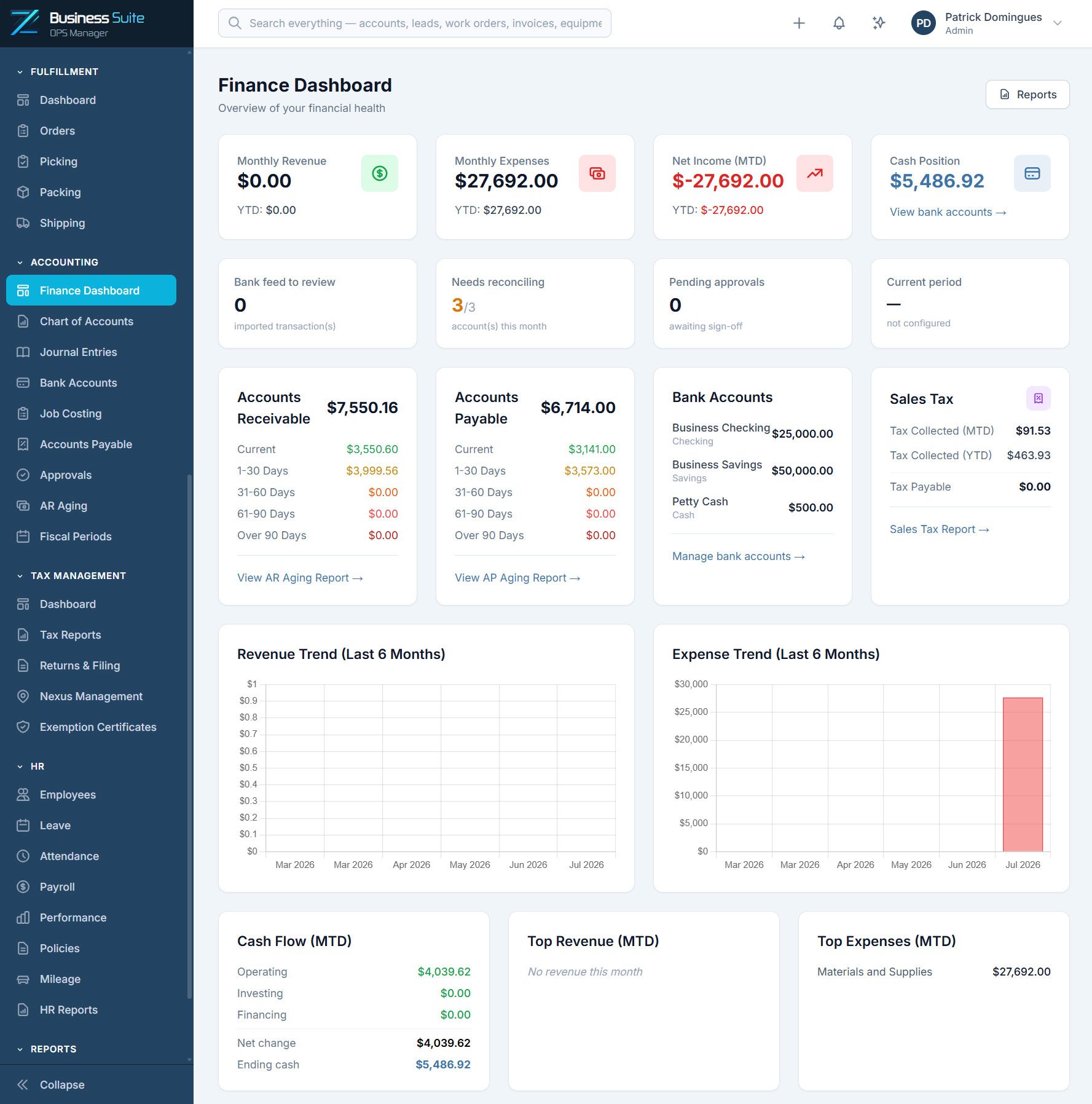
Service and project work sharing one set of customers, costs and books.
Projects and Job Costing
Budget a job by cost type — labour, material, equipment, subcontractor, overhead — then watch budget against actual and read profitability and labour utilisation.
Dispatch Board
One view of who is on a project and who is free for the call.
Work Orders
Service and maintenance recorded against the site and its plant.
Purchase Orders and Suppliers
Plant and material bought against the job it belongs to.
Employees and Attendance
Hours recorded where the work happened, feeding job cost.
Reports and Analytics
Estimated against actual while there is still time to act.
END TO END
A contract, end to end
- 1. The opportunity is tracked
Held as a deal against the account before it becomes work. - 2. The won contract becomes a project
Broken into tasks with the programme and crew attached. - 3. Material and plant are committed
Purchase orders reference the project so cost is attributable. - 4. Labour accumulates
Attendance and task progress build the real cost picture. - 5. Bill it, then read the result
Invoice from the job, then compare budget against actual by cost type in Job Costing before the next estimate goes out.
WORKS WITH YOUR STACK
Fits the tools your office already runs
Sync to QuickBooks Online, take payment through Stripe, sign in with Microsoft 365.
QuickBooks Online
Two-way sync so the books stay the books.
Stripe
Card and ACH payments against your invoices.
Microsoft 365
Single sign-on, mail and calendar.
Slack
Job and approval alerts where the crew already talks.
SIMPLE PRICING
One platform. Everything included.
No feature restrictions, hidden modules, or forced upgrades. Choose the plan that best fits your team size and growth needs.
Starter
Ideal for small agile teams
(1–5 users)
/month
50 GB included storage
- All 15+ modules included
- Unlimited customers
- Unlimited invoices
- Unlimited work orders
- All integrations included
- Webhooks & APIs included
- Dedicated business environment
- Secure backups
- Platform updates and maintenance
- Self-service setup & knowledge base
- Email support (24-hour response)
MOST POPULAR
Growth
Ideal for growing businesses
(6–15 users)
/month
150 GB included storage
- All 15+ modules included
- Unlimited customers
- Unlimited invoices
- Unlimited work orders
- All integrations included
- Webhooks & APIs included
- Dedicated business environment
- Secure backups
- Platform updates and maintenance
- Self-service setup & knowledge base
- Email support (24-hour response)
Scale
Ideal for larger operations
(16–30 users)
/month
300 GB included storage
- All 15+ modules included
- Unlimited customers
- Unlimited invoices
- Unlimited work orders
- All integrations included
- Webhooks & APIs included
- Dedicated business environment
- Secure backups
- Platform updates and maintenance
- Self-service setup & knowledge base
- Email support (24-hour response)
Enterprise
Custom solutions for larger organizations
Contact Us
Custom storage allocation
- All 15+ modules included
- Unlimited customers
- Unlimited invoices
- Unlimited work orders
- All integrations included
- Webhooks & APIs included
- Dedicated business environment
- Secure backups
- Platform updates and maintenance
- Self-service setup & knowledge base
- Email support (24-hour response)
Optional ADD-ONS
Choose the extra resources you need.
Sandbox Environment
$79/month
+50 GB Storage
$10/month
+100 GB Storage
$20/month
+250 GB Storage
$50/month
Every Zevonix Business Suite customer receives a dedicated isolated environment designed for performance, security, and growth.
COMMON QUESTIONS
Mechanical contractor software questions
Can it run service calls and long projects together?
Does it support progress billing on contracts?
Can we keep a service history per piece of plant?
What does it cost?
Run a live contract through it
Seven days, the whole platform, no credit card. Load your real jobs and see whether it holds up before you commit.
GET STARTED
Start your 7-day free trial.
Start your free 7-day trial. No credit card required. We’ll email you a secure login link so you can quickly access the public demo environment and discover how Zevonix Business Suite can simplify your small business operations.
FROM THE BLOG
Latest reading for mechanical contractors
General · 23 August 2026How to Centralize Customer Job Records for Better ControlLearn how to centralize customer job records, connect service, billing, documents, and inventory, and give every team one reliable job…Read the article →
General · 21 August 2026Accounting ERP Platforms That Reduce ReworkAccounting ERP platforms connect finance, jobs, inventory, and service so growing businesses reduce rework, control costs, and close the books…Read the article →
General · 19 August 2026What Is Field Service ERP? A Practical GuideWhat is field service ERP? Learn how it connects dispatch, jobs, inventory, billing, and accounting to give growing service teams…Read the article →