GENERAL CONTRACTORS

Software for general contractors who are done reconciling spreadsheets

A general contractor’s real product is coordination: subs, suppliers, phases, approvals and money that has to land in the right order. Zevonix Business Suite keeps the project, the costs against it and the payables to the people doing the work in one system, so the job-cost number is not a monthly archaeology project.

COORDINATION COST

What goes wrong between the field and the office

The problems are rarely construction problems. They are information problems that turn into cash problems.

Sub invoices arrive out of order

Different formats, different timing, no consistent approval trail — and you are paying before you can be sure the work is in place.

Phase costs blur together

Money spent is visible in total but not by phase, so the phase that is bleeding stays invisible until the job closes.

Change orders live in email

Agreed in a thread, priced in a spreadsheet, and missing from the billing when it matters.

Billing waits on paperwork

Draws go out late because the cost detail behind them has to be assembled by hand first.

ONE PLATFORM, NOT SIX TOOLS

How Zevonix Business Suite runs a GC office

Projects, purchasing, payables and approvals sit on one ledger.

Projects and Job Costing

Budget a job by cost type — labour, material, equipment, subcontractor, overhead — then watch budget against actual and read profitability and labour utilisation.

Accounts Payable

Sub and supplier bills in one queue, against the job they belong to.

Approvals

A real approval step before money leaves, with a record of who signed off.

Purchase Orders and Suppliers

Commit spend deliberately and match it to what actually arrived.

Chart of Accounts and Fiscal Periods

Double-entry books underneath the operations, closing on a real calendar.

Customer Portal

Give the owner a place to see progress and invoices instead of emailing you for status.

END TO END

A project, end to end

  1. 1. The job is set up
    Project created against the account, broken into phases and tasks.
  2. 2. Commitments go out
    Purchase orders to suppliers and work assigned to subs, both referencing the job.
  3. 3. Costs come in and get approved
    Sub and supplier invoices land in A/P against the project and pass through Approvals before payment.
  4. 4. Progress gets billed
    Invoice the owner from the cost and progress already recorded, not from a rebuilt spreadsheet.
  5. 5. Bill it, then read the result
    Invoice from the job, then compare budget against actual by cost type in Job Costing before the next estimate goes out.
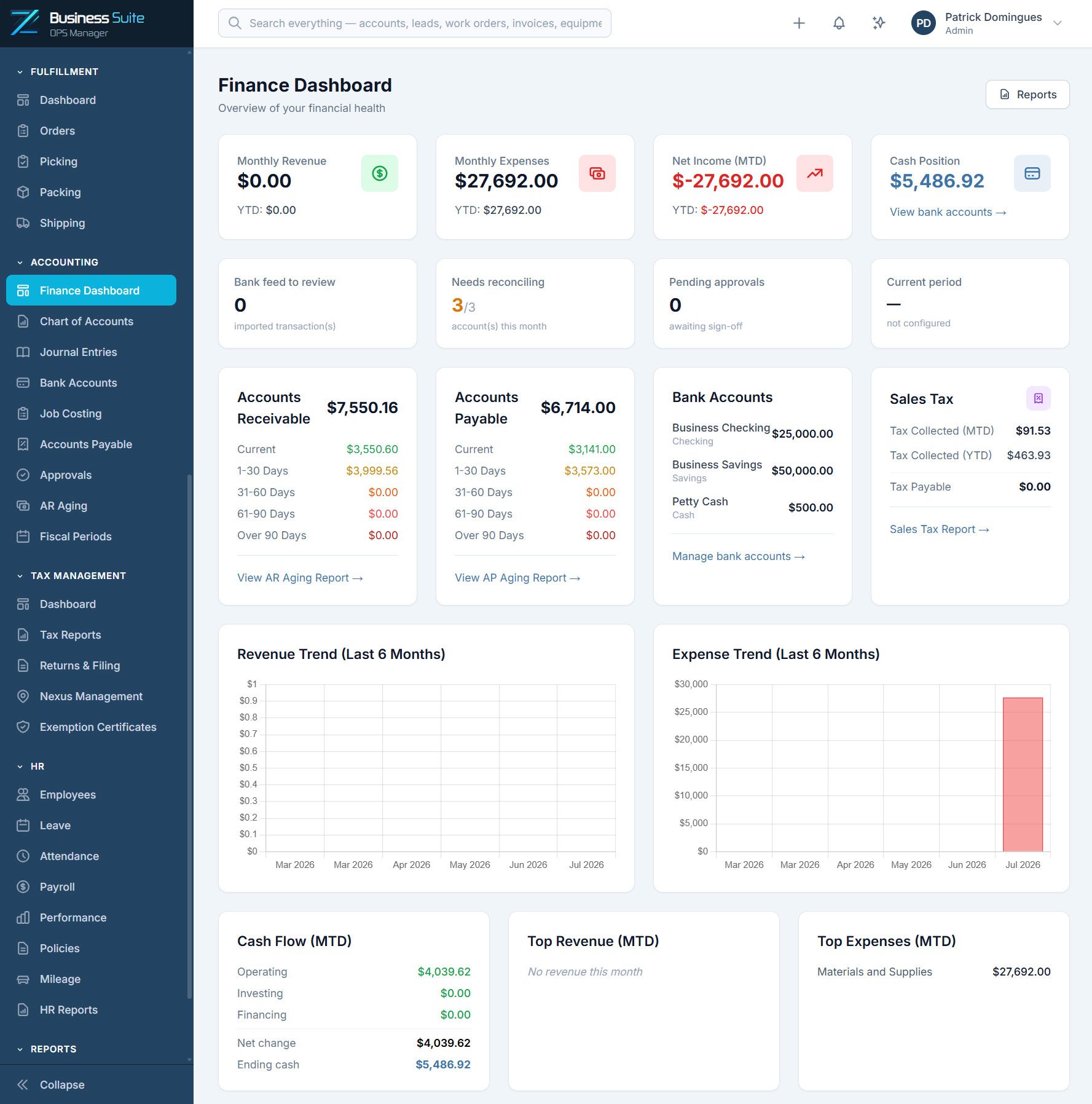
Zevonix Business Suite Finance Dashboard
WORKS WITH YOUR STACK

Sits alongside your accountant, not instead of them

Sync to QuickBooks Online, take owner payments through Stripe.

QuickBooks Online

Two-way sync so the books stay the books.

Stripe

Card and ACH payments against your invoices.

Microsoft 365

Single sign-on, mail and calendar.

Slack

Job and approval alerts where the crew already talks.

SIMPLE PRICING

One platform. Everything included.

No feature restrictions, hidden modules, or forced upgrades. Choose the plan that best fits your team size and growth needs.

Starter

Ideal for small agile teams
(1–5 users)

$249

/month

50 GB included storage

Growth

Ideal for growing businesses
(6–15 users)

$549

/month

150 GB included storage

Scale

Ideal for larger operations
(16–30 users)

$849

/month

300 GB included storage

Enterprise

Custom solutions for larger organizations

Contact Us

Custom storage allocation

Optional ADD-ONS

Choose the extra resources you need.

Sandbox Environment

$79/month

+50 GB Storage

$10/month

+100 GB Storage

$20/month

+250 GB Storage

$50/month

Every Zevonix Business Suite customer receives a dedicated isolated environment designed for performance, security, and growth.

COMMON QUESTIONS

General contractor software questions

Yes — that is what Job Costing is for. Set a budget on the work order or project by cost type (labour, material, equipment, subcontractor, overhead), and the job then shows budget against actual as costs post, with profitability and labour utilisation reports on top.
Sub bills are handled in Accounts Payable against the job, and Approvals puts a documented sign-off between the invoice arriving and money going out.
Zevonix Business Suite carries the project cost and progress data that progress billing is built from, and invoices from it. Whether the output matches the exact AIA form or retainage handling your owners require is a specific question for your implementation contact — we would rather you confirm that up front than assume it.
The Customer Portal gives them a self-service view of their project and invoices, which cuts a surprising amount of status-chasing out of your week.

Set up one live job and judge it

Seven days, the whole platform, no credit card. Load your real jobs and see whether it holds up before you commit.

GET STARTED

Start your 7-day free trial.

Start your free 7-day trial. No credit card required. We’ll email you a secure login link so you can quickly access the public demo environment and discover how Zevonix Business Suite can simplify your small business operations.